
Synology Manager Plus
Manage your Synology NAS — right from Claude Code
About this product
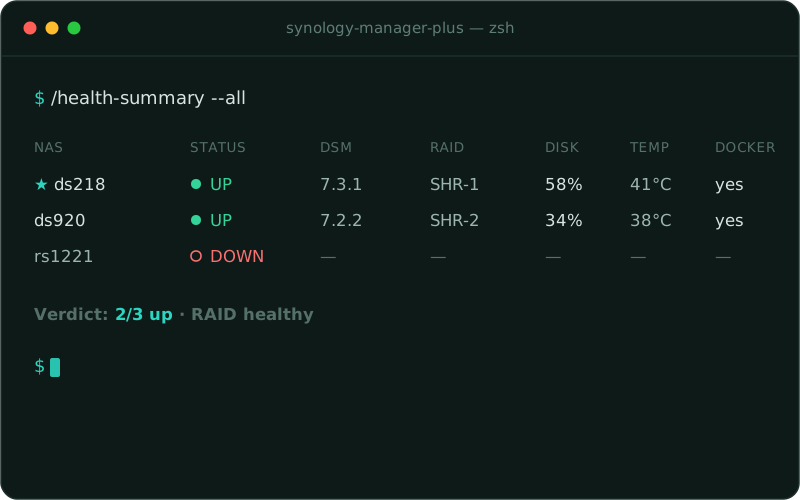
Synology Manager Plus brings your Synology NAS — or several of them — into a single Claude Code session. The plugin drives guided setup, SSH diagnostics, storage and shares, SMART disk health, system logs, DSM update status and Docker Compose stacks — entirely over SSH and without the DSM Web API. You manage multiple NAS through one active NAS plus a fleet-wide --all overview. Read-only is the default; mutating actions require an explicit confirmation. Credentials, profiles and keys stay local and never land in Git.
From install to a managed NAS in minutes
Install
Enable SSH in DSM, add the marketplace, install the plugin — the Synology Manager Plus commands are instantly available in Claude Code.
Connect
Add your first NAS with /first-run, deploy the dedicated key via ! ssh-copy-id and verify the seven health checks with /diag.
Manage
Drive SMART health, storage, logs, DSM updates and Docker Compose — and keep several NAS in view with /health-summary --all, one row per device.
Ready to get started?
Start in minutes. Free, no account required, no tracking.